Confidential VR App
Reimagining how we share experiences and relive memories through VR
This immersive platform transforms everyday 180-360° videos into shareable virtual reality experiences. Users can capture and relive meaningful moments in fully immersive VR—from graduations to peaceful nature walks—while also unlocking powerful applications for learning and connection. Coaches can provide trainees with first-person perspectives of complex techniques, teachers can transport students to remote locations, therapists can guide patients through calming spaces, and families separated by distance can share life's milestones as if they were there together.
As the sole product designer, I led the end-to-end design process from user research through final implementation of both the digital upload experience and immersive VR interface.
Company
Confidential
Responsibilities
UI/UX
Year
2025
The Problem
As users upload thousands of personal VR experiences to the platform, how do we design an intuitive system that helps people easily discover, organize, and access the right immersive content?
The Research
To understand the VR app landscape, I conducted a competitive analysis of hundreds of apps on the Meta Quest store, evaluating their interfaces and user experiences. This research revealed critical design pitfalls to avoid: cluttered spatial interfaces with too many floating UI elements, inconsistent depth cues making interactions difficult, poor onboarding that leaves users disoriented, navigation requiring excessive head movement causing fatigue, improperly sized or positioned text, and ineffective content discovery systems. These insights shaped our approach to creating a clean, intuitive interface that prioritizes user comfort, clear spatial hierarchy, and effortless navigation while respecting the unique constraints of the VR medium.

The Design Solution
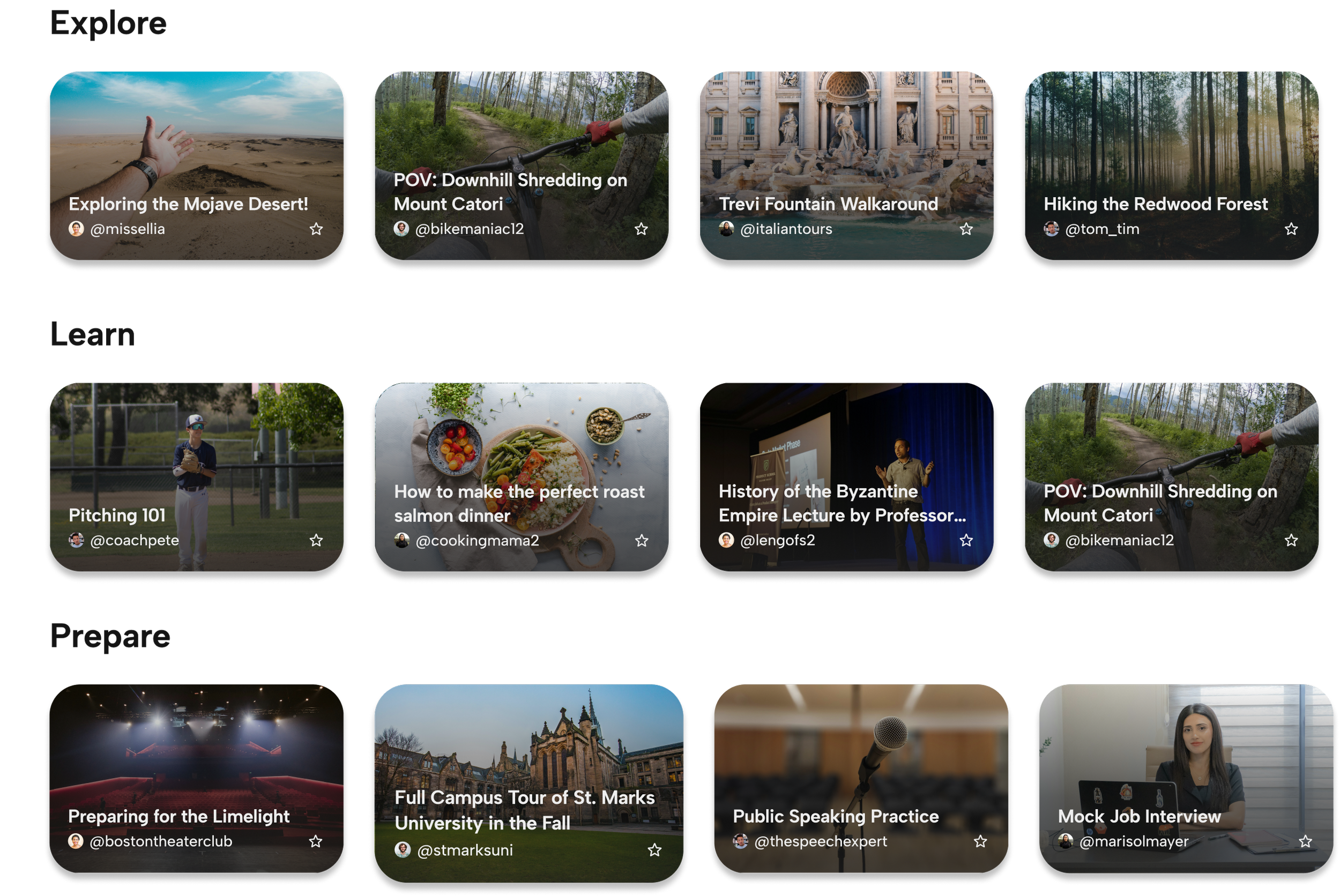
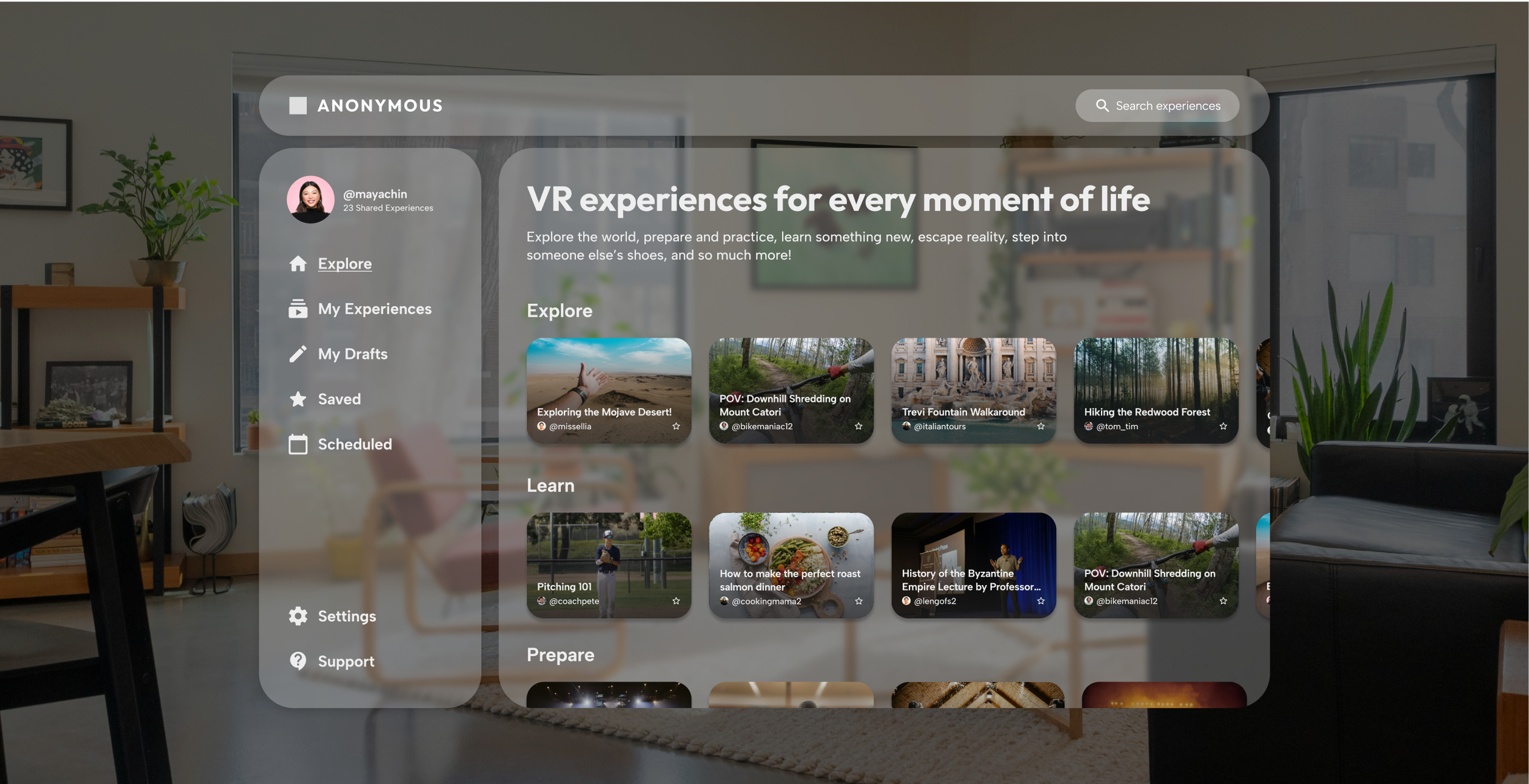
To address the challenge of organizing and surfacing thousands of VR experiences, I designed a clean, grid-based interface that balances discoverability with simplicity. Experiences are organized by intuitive categories such as Travel, Learning, Relaxation, and Milestones, allowing users to quickly browse content aligned with their goals. A prominent search bar enables direct access to specific experiences, while a personalized dashboard gives users a dedicated space to manage their uploaded content, access drafts, and revisit saved experiences from others. This systematic approach ensures that whether users are seeking their own cherished memories or exploring new perspectives for training and education, the right content is always within reach without overwhelming the immersive environment.